|
1.
|
In the Timeline, with the Branding layer selected, click Insert Layer and name the layer Dialog Boxes.
|
|
2.
|
Select Frame 5 of the Dialog Boxes layer.
Right-click (Windows) or Control-click (Macintosh) the selected layer and select Insert Blank Keyframe from the context menu. |
|
3.
|
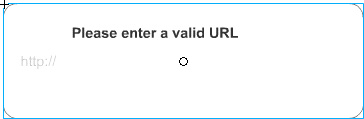
From the Library panel, drag the Dialog Box-error movie clip to the center of the Stage.
|
|
4.
|
In the Timeline, select Frame 5 of the Buttons layer.
|
|
5.
|
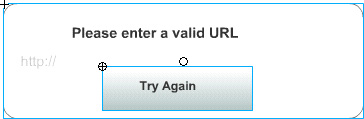
Drag the Try Again Button symbol from the Library panel to the Stage, placing the button below the error message text.
|
|
6.
|
With the button still selected, in the Property inspector, enter tryAgain_btn in the Instance Name text box.
|
Add a confirmation message
Next, you'll add a message to display when the user submits an entry in the text field.
|
1.
|
In the Dialog Boxes layer, select Frame 10.
Right-click (Windows) or Control-click (Macintosh) the selected frame and select Insert Blank Keyframe from the context menu. |
|
2.
|
From the Library panel, drag the Dialog Box-confirm movie clip to the center of the Stage.
|
|
3.
|
Close the Library panel.
|
by updated
