|
1.
|
In the Timeline, select the Top layer.
|
|
2.
|
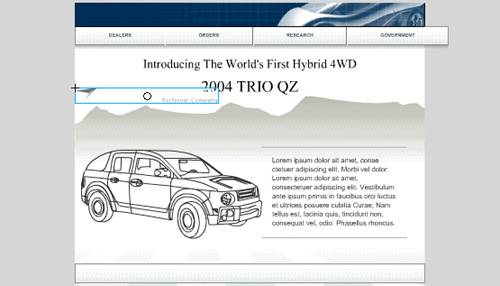
From the Library panel (Window > Library), drag the logo to an empty area of the Stage.
|
|
3.
|
In the Property inspector, with the logo still selected, enter 20 in the X text box and 8 in the Y text box. Press Enter (Windows) or Return (Macintosh).
The logo moves to the new x and y Stage values. |
Note
You can view and change the registration point of an object in the Info panel (Window > Info). The black square in the grid represents the registration point. To change it, you click another square in the grid.
by updated
