- In Flash, select File > Open.
- Navigate to the following directory:
- In Windows: Hard Disk\Program Files\Macromedia\Flash 8\Samples and Tutorials\Tutorial Assets\Creating Graphics\
- On the Macintosh: Hard Disk/Applications/Macromedia Flash 8/Samples and Tutorials/Tutorial Assets/Creating Graphics/
- In Windows: Hard Disk\Program Files\Macromedia\Flash 8\Samples and Tutorials\Tutorial Assets\Creating Graphics\
- Open the gradients_start.fla file.
Apply a linear gradient
In this section you will add a linear gradient to the background.
- Click the Selection tool in the Tools panel.
- Select the gray box in the layer named Background.
- Select Window > Color Mixer to display the Color Mixer panel.
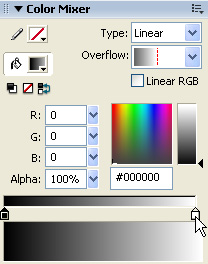
- In the Color Mixer's Type pop-up menu, select Linear.
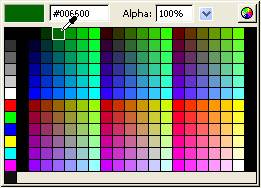
- Double-click the right gradient color swatch and select the color green (#006600).
Selecting the right gradient color swatch in the Color Mixer
Selecting the color green #006600 in the Color Picker
- Double-click the left gradient color swatch and select the color black (#000000).
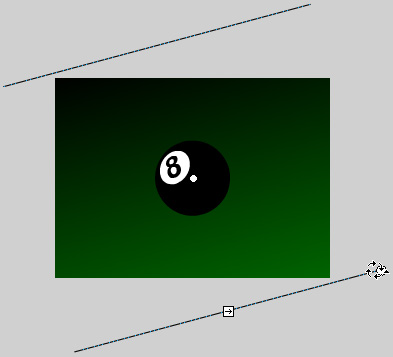
- Select the Gradient Transform tool from the Tools panel. The Gradient Transform controls appear on the Stage around the gradient.
The Gradient Transform tool

- Drag the Gradient Rotate handle to rotate the linear gradient clockwise as shown.
The Gradient Rotate handle

Rotating the gradient clockwise
- Lock the Background layer in the Timeline to prevent further changes to this layer.
- Select File > Save to save your FLA file.
by updated
