The client doesn't always know that the image will be used for other purposes, so you can't be too quick to lay blame, and sometimes decisions are made on the fly, so it's out of the client's control. Nonetheless, when an image needs to be used at a size for which it was never intended, something has to be done to make it usable.
The first reaction is always scanning or reshooting the image at a larger size. If this option exists and can be done, it's ideal but this isn't always the case. Some images may have been purchased or shot in some exotic location where a reshoot is financially unfeasible. And sometimes, even if a reshoot or a new scan is an option, the retouching may still need to be repeated. If the retouching was very complex, it can be rather frustrating to redo the work or quite difficult to replicate what you have done the first time around, especially if you have a memory like mine: it's very good, but short.
So in a situation when you have an image that looks terrific but has to be enlarged to a great degree, you can increase the size of the image and help it along with some retouching so it looks a lot better at the larger size.
Let's say this image has to be enlarged to a great degree to meet the requirements of a new creative concept
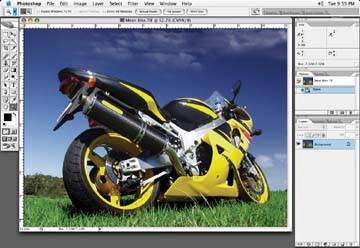
There are a couple of approaches we can try before doing any extensive retouching. Basically, we will take the image to be used on our client's billboard, blow it up in Photoshop to meet the specifications outlined by the billboard people, then retouch it in such a way that it appears to be of a higher resolution than it really is. I say this because when an image is blown up to a large degree, it is typical for the image to have problems that are undesirable. Hopefully the retouching outlined in the following tutorials will help you to provide your client with a more pleasing result.
Note: In terms of scale here, I have seen images used for posters or billboards that are blown up 300 to 1,000% from the original supplied image size.
