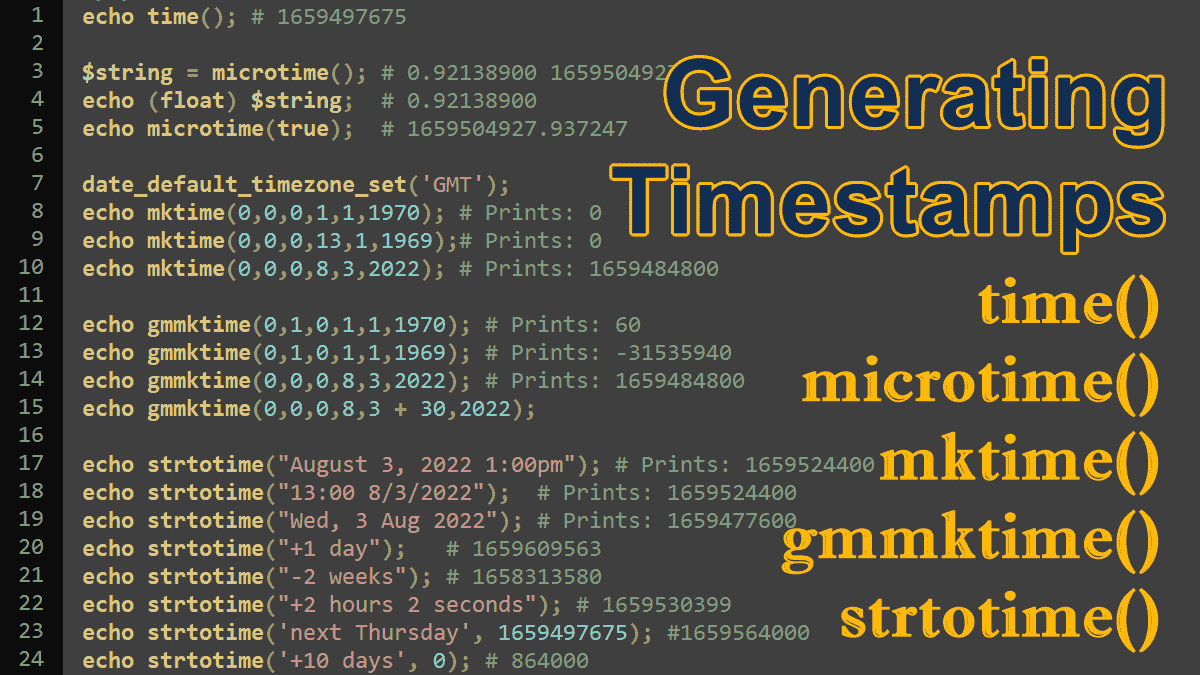
- What is a timestamp?
- Generating a Timestamp for the current date and time
time()Generate timestamp for the current date and time.- Using date(), gmdate(), idate(), getdate(), and gettimeofday()
microtime()Generate timestamp with microseconds.- Generating a Timestamp for a specific date and time
mktime()returns the timestamp for a specific date.gmmktime()returns the timestamp for a specific GMT date.strtotime()parses any textual DateTime description into a timestamp.
What is a timestamp?
A UNIX timestamp is an integer that gives us the number of seconds that have elapsed since the Unix epoch: January 1 1970 00:00:00 UTC (or GMT). PHP has many functions to help you move easily between epoch timestamps and human-readable time representations. So, the following code returns 0 output because zero seconds elapsed since the Unix epoch January 1 1970 00:00:00 UTC:
<?php
 echo strtotime('January 1 1970 00:00:00+00');
 # Prints: 0
Note: There is no time difference between GMT (Greenwich Mean Time) and UTC (Coordinated Universal Time).
Generating a Timestamp for the current date and time
time()
The time() function returns the timestamp for the current date and time, as shown in this code:
<?php
 $timestamp = time();
 echo $timestamp;
 # 1659497675
Using the PHP date() function, you can convert a Unix timestamp into a human-readable form:
<?php
 $t_stamp = 1659497675;
 echo date('d-M-Y H:i:s', $t_stamp);
 # 03-Aug-2022 05:34:35
Other ways to generate a timestamp
The date(), gmdate() and idate() functions use the same syntax to generate a timestamp for the current date and time:
<?php
 // executed on 09 Aug 2022 05:38:56+02:00
 echo date('U');
 # Prints: 1660016336

 echo gmdate('U');
 # Prints: 1660016336

 echo idate('U');
 # Prints: 1660016336
Using the gettimeofday() function to generate the current timestamp:
<?php
 // executed on 09 Aug 2022 06:00:35+02:00
 $timestamp = gettimeofday();
 echo $timestamp['sec'];
 # Prints: 1660017635
Using the getdate() function to generate the current timestamp:
<?php
 // executed on 09 Aug 2022 06:03:45+02:00
 $timestamp = getdate();
 echo $timestamp[0];
 # Prints: 1660017825
Generating current Unix timestamp with microseconds
microtime()
<?php
 //Syntax
 microtime(bool $as_float = false): string|float
The microtime() function returns the current Unix timestamp with microseconds. This takes one optional parameter $as_float, if used and set to TRUE, it will return a float instead of a string. See the following example:
<?php
 echo microtime() ;
 # 0.92138900 1659504927
The microtime() returns a string that contains both a Unix timestamp in seconds and a microsecond component. The returned string begins with the microsecond component, followed by the integer timestamp. You can use the PHP’s type casting feature to separate the microseconds part from the returned string, see the following code:
<?php
$string = microtime();
echo $string .'<br>';
# 0.75267700 1659506468

echo (float) $string;
# 0.752677
The microtime(true) returns a float value of the current microtime, when the parameter true is provided. See the following code:
 <?php
  echo microtime(true) ;
  # 1659504927.937247
You can separate the decimal (microseconds) part of the returned result with the help of floor() function. See the following example:
<?php
$float = microtime(true);
echo $float .'<br>';
# 1659507636.6422

$micro_seconds = $float - floor ( $float );
echo $micro_seconds;
# 0.64218211174011
Generating a Timestamp for a specific date and time
mktime()
<?php
 //Syntax
 mktime(
  int $hour,
  ?int $minute = null, ?int $second = null,
  ?int $month = null,  ?int $day = null,
  ?int $year = null
 ): int|false
The mktime() function takes six parameters:
$hour: The number of the hour relative to the start of the day.$minute(optional): The number of the minute relative to the start of the hour.$second(optional): The number of seconds relative to the start of the minute.$month(optional): The number of the month relative to the end of the previous year.$day(optional): The number of the day relative to the end of the previous month.$year(optional): The number of the year, maybe a two or four-digit value.
This function returns the timestamp for a specific date. The returned timestamp is an integer containing the number of seconds between the UNIX epoch (January 1 1970 00:00:00 GMT) and the time specified in the parameters.
Example: Generating timestamp for January 1, 1970 12:00:00 AM
A Unix timestamp is the number of seconds since 1 January 1970 00:00:00 Greenwich Mean Time (GMT). So, first, we change the timezone to GMT because the parameters supplied to mktime( ) represent the local time.
<?php
 date_default_timezone_set('GMT');

 echo mktime(0,0,0,1,1,1970);
 # Prints: 0
If the month parameter value is greater than 12, it will reference the appropriate month in the following year. So, The date 13-01-1969 also returns the timestamp value 0.
<?php
 date_default_timezone_set('GMT');

 # 13-01-1969 = 01-01-1970
 echo mktime(0,0,0,13,1,1969);
 # Prints: 0
Values less than 1 (including negative values) reference the months in the previous year in reverse order, so 0 is December, -1 is November, etc.
Example: Generating timestamp for August 3, 2022, 12:00:00 AM
<?php
 date_default_timezone_set('GMT');

 echo mktime(0,0,0,8,3,2022);
 # Prints: 1659484800
gmmktime()
The gmmktime() function is identical to the mktime() function, both create a timestamp from the supplied parameters; the parameters supplied to gmmktime( ) represent a GMT date and time, while the parameters supplied to mktime( ) represent the local time.
Example: Using gmmktime() function
You don’t need to set the GMT timezone because the passed parameters represent a GMT date.
<?php
 # 13-01-1969 = 01-01-1970
 echo gmmktime(0,0,0,13,1,1969) . '<br>';
 # Prints: 0

 # 13-01-1969 = 01-01-1970
 echo gmmktime(0,0,0,13,1,1969) . '<br>';
 # Prints: 0

 # January 1, 1970 12:01:00 AM
 echo gmmktime(0,1,0,1,1,1970) . '<br>';
 # Prints: 60

 # January 1, 1969 12:01:00 AM
 echo gmmktime(0,1,0,1,1,1969) . '<br>';
 # Prints: -31535940

 # August 3, 2022 12:00:00 AM
 echo gmmktime(0,0,0,8,3,2022);
 # Prints: 1659484800
Both functions are reasonably tolerant of zero values, and both correctly handle values out-of-range, allowing scripts to add a quantum of time without range checking. The following example shows how 30 days can be added to a date and time:
<?php
 $period = 30;  // Days

 /* generates a timestamp for September 3, 2022 by
    adding 30 days to August 3, 2022 */
 $due = gmmktime(0,0,0,8,3 + $period,2022);

 /* A different approach adds the appropriate number
    of seconds to the timestamp for September 3, 2022 */
 $due = gmmktime(0,0,0,8,3,2022) + ($period * 24 * 3600);
The order of the arguments to these functions is unusual and easily confused. While the mktime( ) and gmmktime( ) functions are similar to the Unix mktime( ) function, but the arguments aren’t in the same order.
strtotime()
<?php
 //Syntax
 strtotime(string $datetime, ?int $baseTimestamp = null): int|false
The strtotime() function takes two parameters:
$datetime: A date/time string.$baseTimestamp(optional): If a timestamp is provided, the function will calculate the relative dates based on the timestamp.
This function generates a timestamp by parsing the human-readable date. The strtotime function parses any English textual DateTime description into a Unix timestamp. The strtotime() function returns false if it fails to parse the string.
<?php
 $d = strtotime('BrainBell.com');
 if ($d === false)
  echo 'Invalid date format';
 else
  echo $d;

 # Prints: Invalid date format
Example Generate timestamp with absolute dates and times
The function interprets several standard representations of date, as shown here:
<?php
 echo strtotime("August 3, 2022 1:00pm") .'<br>';
 # Prints: 1659524400

 echo strtotime("13:00 8/3/2022") . '<br>';
 # Prints: 1659524400

 echo strtotime("Wed, 3 Aug 2022");
 # Prints: 1659477600
The current time: equivalent to time( ).
<?php
 echo strtotime('now') .'<br>';
 # Prints: 1659523051

 echo time();
 # Prints: 1659523051
Example: Generating timestamp with relative times
<?php
 echo strtotime("+1 day").'<br>'; # 1659609563
 echo strtotime("-2 weeks").'<br>'; # 1658313580
 echo strtotime("+2 hours 2 seconds"); # 1659530399
Example: Generating a timestamp based on another timestamp
<?php
 echo strtotime('next Thursday', 1659497675); #1659564000
 echo '<br>';
 echo strtotime('+10 days', 0); # 864000
The Date and Time Tutorials:
- PHP DateTime Class
- PHP DateTimeZone Class – times in different countries
- PHP DateInterval Class – adds or subtracts dates/times
- PHP DatePeriod Class – generates date or time ranges
- PHP Validating Age and Date of Birth
- Sunset, Sunrise, Transit, and Twilight
- Localizing Dates
- Localizing Dates with IntlDateFormatter Class
