When a user first enters the session-based application by making a request to a page that starts a session, PHP generates a session ID and creates a file that stores the session-related variables. PHP sets a cookie to hold the session ID in the response the script generates. The browser then records the cookie and includes it in subsequent requests.
The default configuration of PHP session management uses disk-based files to store session variables. Using files as the session store is adequate for most applications in which the numbers of concurrent sessions are limited. (We’ll discuss later a more scalable solution that uses a database).
Starting a Session
PHP provides a session_start( ) function that creates a new session and subsequently identifies and establishes an existing one. Either way, a call to the session_start( ) function initializes a session.
Note:
You don’t need to use session_start() function if you’ve activated the sessions globally with the php.ini directive:session.auto_start = 1.
The first time a PHP script calls session_start( ), a session identifier is generated, and, by default, a Set-Cookie header field is included in the response. The response sets up a session cookie in the browser with the name PHPSESSID and the value of the session identifier. The PHP session management automatically includes the cookie without the need to call to the setcookie( ) or header( ) functions.
The session identifier (ID) is a random string of 32 hexadecimal digits, such as fcc17f071bca9bf7f85ca281094390b4. As with other cookies, the value of the session ID is made available to PHP scripts in the $_COOKIE['PHPSESSID'] associative array.
When a new session is started, PHP creates a session file. With the default configuration, session files are written in the/tmp directory using the session identifier, prefixed with sess_, for the filename. The filename associated with our example session ID is /tmp/sess_fcc17f071bca9bf7f85ca281094390b4.
If a call is made to session_start( ), and the request contains the PHPSESSID cookie, PHP attempts to find the session file and initialize the associated session variables as discussed in the next section. However, if the identified session file can’t be found, session_start( ) creates an empty session file.
Using Session Variables
All session data is accessible from a PHP script via the $_SESSION array. Because the data itself is stored on the server side, you can write session data and read it in the next PHP statement, without the requirement of a round-trip to the server as it was with cookies. Just remember to call session_start() first and then access $_SESSION.
Example: Registering Session Variables
<?php
 //home.php
 session_start();
 if ( ! isset($_SESSION['user']) )
  $_SESSION['user'] = 'Guest';
Now print it on the second page:
<?php
 session_start();
 echo $_SESSION['user']; //Guest
Unsetting Session Variables:
Variables can be removed from a session with unset() function:
<?php
 session_start();
 unset( $_SESSION['user'] );
Use session_unset() function to unset all session variables:
<?php
 session_start();
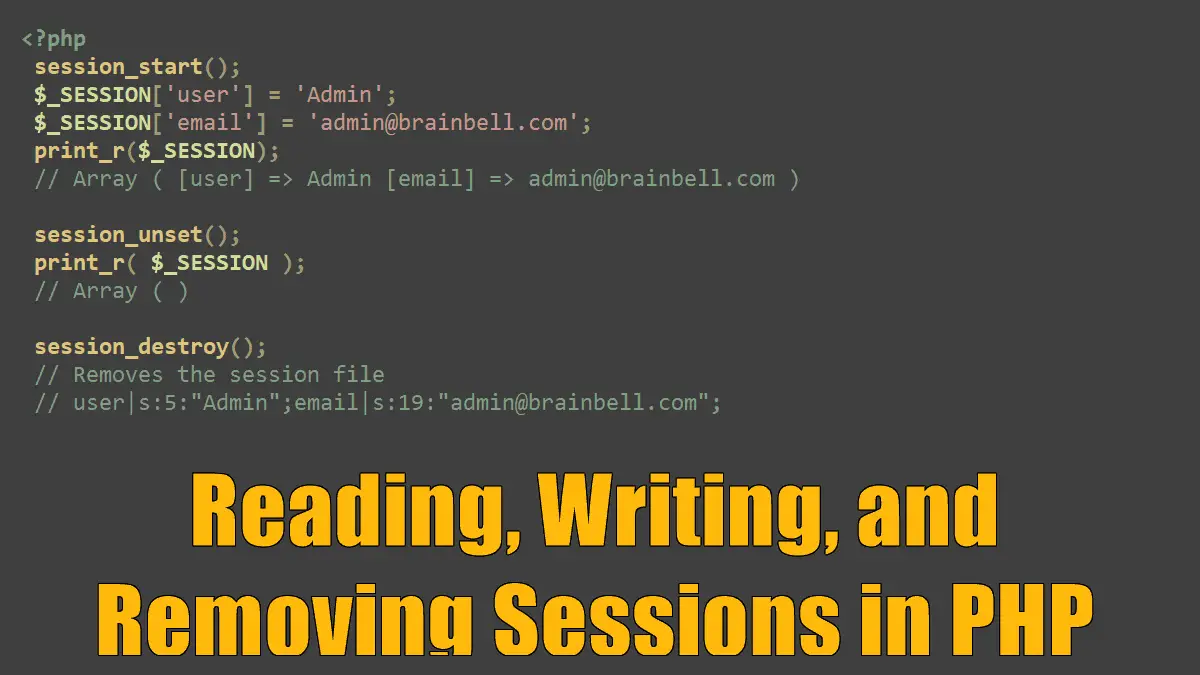
 $_SESSION['user'] = 'Admin';
 $_SESSION['email'] = 'admin@brainbell.com';
 print_r($_SESSION);
 // Array ( [user] => Admin [email] => admin@brainbell.com )

 session_unset();
 print_r( $_SESSION );
 // Array ( )
PHP stores session variables in the session file by serializing the values. The serialized representation of a variable includes the name, the type, and the value as a stream of characters suitable for writing to a file. Here’s an example of a session file:
user|s:5:"Admin";email|s:19:"admin@brainbell.com";
A PHP developer need not worry about how serialization occurs. PHP session management takes care of reading and writing session variables automatically.
Closing Sessions
In some instances, for example, when a user logs out, all session data should be removed, and the session must be closed. Of course, it would be possible to loop through $_SESSION with foreach and then set each value to an empty string or null, but there is a quicker way. Call session_destroy(). A session must be initialized before the session_destroy( ) call can be made.
<?php
 session_start();
 session_destroy();
A call to session_destroy( ) removes the session file from the system but doesn’t remove the PHPSESSID cookie from the browser.
Cookies and Sessions:
