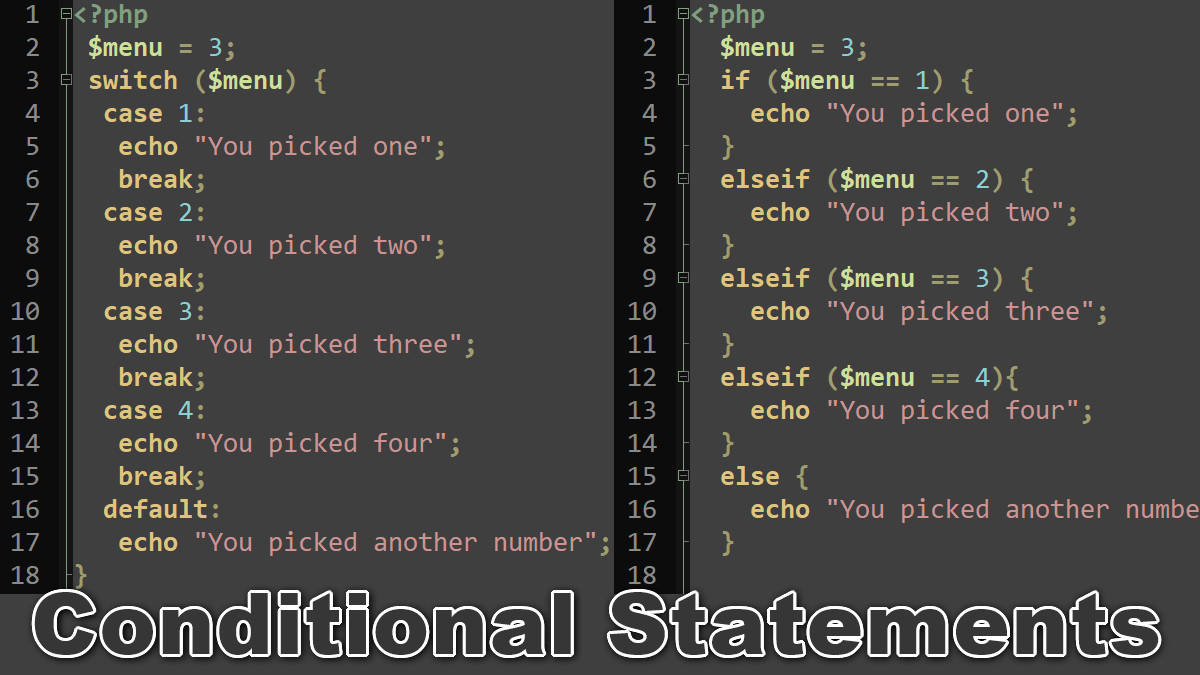
If…elseif…if statement
The if statement conditionally controls execution and its use in PHP is as in any other language. The basic format of an if statement is to test whether a condition is true and, if so, to execute one or more statements.
The following if statement executes the echo statement and outputs the string when the conditional expression, $var is greater than 5, is true:
<?php
 $var = 6;
 if ($var > 5)
  echo "The variable is greater than 5";
The if statement executes only the one, immediately the following statement.
Multiple statements can be executed as a block by encapsulating the statements within braces. If the expression evaluates as true, the statements within braces are executed. If the expression isn’t true, none of the statements are executed. Consider an example in which three statements are executed if the condition is true:
<?php
 $var = 6;
 if ($var > 5) {
  echo "The variable is greater than 5.";
  // So, now let's set it to 5
  $var = 5;
  echo "In fact, now it is equal to 5.";
}
The if statement can have an optional else clause to execute a statement or block of statements if the expression evaluates as false. Consider an example:
<?php
 $var = 5;
 if ($var > 5)
  echo "Variable greater than 5";
 else
  echo "Variable less than or equal to 5";
It’s also common for the else clause to execute a block of statements in braces, as in this example:
<?php
 $var = 5;
 if ($var > 5) {
  echo "Variable is less than 5";
  echo "-----------------------";
 }
 else {
  echo "Variable is equal to or larger than 5";
  echo "-------------------------------------";
 }
Consecutive conditional tests can lead to examples such as:
<?php
 $var = 3;
 if ($var < 5)
  echo "Value is very small";
 else
 if ($var < 10)
  echo "Value is small";
 else
 if ($var < 20)
  echo "Value is big";
 else
 if ($var < 30) {
   echo "Value is very big";
 }
If consecutive, cascading tests are needed, the elseif statement can be used. The choice of which method to use is a matter of personal preference. This example has the same functionality as the previous example:
<?php
 $var = 3;
 if ($var < 5)
  echo 'Variable is very small';
 elseif ($var < 10)
  echo 'Variable is small';
 elseif ($var < 20)
  echo 'Variable is big';
 elseif ($var < 30)
  echo 'Variable is very big';
 else
  echo 'Variable is very very big';
Switch…Case Statment
The switch statement can be used as an alternative to if to select an option from a list of choices:
<?php
 $menu = 3;
 switch ($menu) {
  case 1:
   echo "You picked one";
   break;
  case 2:
   echo "You picked two";
   break;
  case 3:
   echo "You picked three";
   break;
  case 4:
   echo "You picked four";
   break;
  default:
   echo "You picked another number";
}
This example can be implemented with if and elseif, but the switch method is usually more compact, readable, and efficient to type. The use of break statements are essential: they prevent execution of statements that follow in the switch statement and continue execution with the statement that follows the closing brace.
If break statements are omitted from a switch statement, you get a bug. If the user chooses option 3, the script outputs not just:
"You picked three"
but also:
"You picked three. You picked four. You picked another option"
The fact that “break statements are needed” is sometimes considered to be a feature but is more often a source of difficult-to-detect bugs.
Using if and elseif
  $menu = 3;
  if ($menu == 1) {
    echo "You picked one";
  }
  elseif ($menu == 2) {
    echo "You picked two";
  }
  elseif ($menu == 3) {
    echo "You picked three";
  }
  elseif ($menu == 4){
    echo "You picked four";
  }
  else {
    echo "You picked another option";
  }
The above two examples are two different ways to write the same thing, one using if and elseif statements, and the other using the switch statement.
PHP Control Structures:
